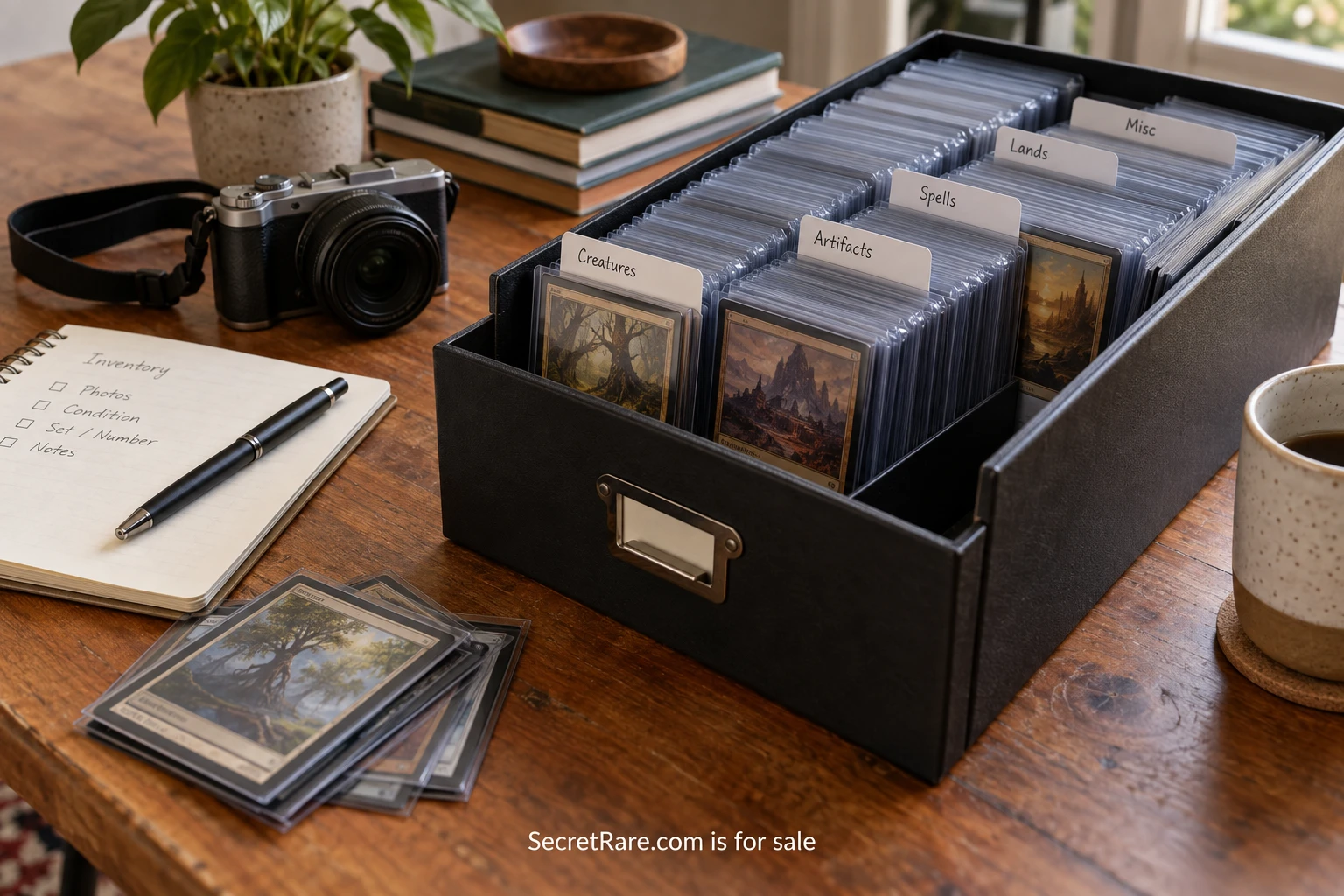
A collection catalog is useful when it answers an ordinary question quickly. Which box holds the print? Is that a second copy or a duplicate photograph? Where did the attribution come from? What was included when the object arrived? Start with those questions and the catalog can remain manageable as the collection grows.
You do not need to describe everything at once. A small, consistent record for ten objects is a better beginning than a complex database that is abandoned after two entries. The method below focuses on personal organization and documentation, with room to add more detail later.
Decide what counts as one object
Before assigning numbers, decide how you will treat sets. A boxed group might have one parent record and separate records for the pieces, or it might remain a single record if the parts are always stored together. Write down the choice so the next set is handled the same way.
Use a relationship field when objects belong together. That is safer than relying on nearly identical names to imply a connection. A print and its original envelope can have distinct descriptions while remaining linked in the catalog. If they are later stored separately, their relationship will still be visible.
Do not try to solve every possible exception before beginning. Choose a simple rule for the first category, test it on several real objects, and note the cases that need adjustment. The catalog should serve the collection you have rather than an imagined institution with unlimited staff.
Give each record a stable identifier
Choose an identifier that will not need to change when the object moves or its attribution improves. A sequence such as SR-0001 can work for a personal system. Avoid putting the current shelf or assumed maker into the permanent identifier, because both may change.
Keep the identifier with the record and associate it with photographs and documents. Use safe, appropriate labeling methods for the material; do not write directly on an object merely because it makes the spreadsheet easier. A labeled enclosure or separate tag may be suitable in some situations, but sensitive materials deserve appropriate conservation guidance.
Never reuse a retired number for another object. If an item leaves the collection, preserve its record with an updated status. Reusing the identifier can cause old images and notes to become attached to the wrong thing.
Begin with a compact set of fields
A useful opening record can contain identifier, short name, object type, maker if known, date or date range, dimensions where useful, identifying marks, a brief description, acquisition information, current location, and photograph filenames. Add condition observations in a distinct field or linked record.
The ICOM Object ID checklist provides a concise reference for identifying objects through photographs and descriptive information. It can help you decide which details distinguish one piece from another. You do not have to fill every field with certainty; “unknown” is a legitimate answer when the evidence is missing.
Keep a source field for claims that come from somewhere other than direct observation. “Artist named on reverse” and “seller attributed to artist” are different kinds of information. Preserve that distinction so a later reader, including your future self, knows what still needs checking.
Use names that help you search
Write a short descriptive title even if the object has no formal title. “Blue geometric art card with silver border” is easier to find than “Untitled item.” If a formal title is known, store it separately from the practical description rather than choosing one and discarding the other.
Keep recurring terms consistent. If you use “art card” for one record and “artist trading card” for another, decide whether the difference is meaningful. A short vocabulary note can prevent accidental fragmentation without forcing every object into an unsuitable category.
The Getty categories for describing works of art distinguish object names, measurements, materials, and current location. A personal catalog can stay much simpler, but the same broad benefit applies: consistent fields allow information to be sorted and reused without rewriting the whole record.
Make photographs part of the record
Take a clear overall image and a view of the reverse or underside when relevant. Add details of marks, numbers, signatures, and distinguishing features. The aim is to recognize the object and connect the written record to something visible.
Name the files with the identifier and a view description. Keep original photographs in a stable folder and link or reference them from the catalog. If a spreadsheet contains only compressed images pasted into cells, exporting the record later may become awkward. Retaining separate files gives you more options.
Check that the links work from the place where the archive will actually live. Moving a folder can break references that depend on an old location. A simple folder structure and a documented naming convention are easier to maintain than several disconnected photo libraries.
Describe location as an address you can follow
Choose a location format that reflects the storage arrangement. Room, cabinet, shelf, and box can be separate fields or one consistently written string. The important test is whether another trusted person could follow it without asking what “usual drawer” means.
Update the location when the object moves, not at the end of a long reorganization. A temporary checkout note can help if items are taken out for photography or display. Give temporary locations an expected review date so they do not become permanent mysteries.
For example, a hypothetical record might read “Study / Cabinet B / Shelf 2 / Box 04.” A separate note could say that the object is temporarily on the photography table. The permanent storage address and current status should not silently contradict one another.
Keep private information in the right place
Purchase documents, addresses, payment details, and personal correspondence may belong in a restricted part of the archive. A public collection page does not need to reveal the exact storage location or the private contact details of a previous owner.
Decide what you would share before sending someone a catalog export. A view intended for a friend might include photographs and descriptions while leaving acquisition costs and home locations out. Check attachments as well as visible columns; a receipt can contain information that the main record carefully omits.
If the catalog is stored with an online service, understand the account access and sharing settings. Choose tools you can maintain, and confirm that you can export your records and retrieve the associated files. The best feature list is of little use if you cannot preserve your own information.
Test recovery instead of assuming it
Keep a separate copy of the catalog and its images according to a backup routine you can sustain. Periodically open that copy and confirm that the files are present and readable. A backup that has never been checked is an unanswered question.
Record the date of the latest export and where it is stored. If you make substantial changes, update the backup rather than waiting for a distant annual cleanup. A modest routine followed consistently is more useful than an elaborate policy no one remembers to perform.
Also write a short readme explaining the identifiers, folder structure, and location vocabulary. It can be a plain text document. That small guide helps another person understand the collection and helps you resume the work after a long break.
Finish ten records before adding features
Choose ten objects that include a few ordinary cases and one awkward set. Complete their records, locate them using only the catalog, open their photographs, and trace one attribution back to its source. Note every point where the system becomes confusing.
Fix those problems before entering the next hundred objects. You may discover that one field should be split, an identifier is too long to read, or the location format needs a box number. Early changes are easy while the sample remains small.
Once the ten records work, repeat the routine in manageable sessions. The catalog earns its place when finding an object takes less effort, a question has a documented answer, and the next addition can be recorded without redesigning the system.